I was looking for a wifi scanner to check whether there were less cluttered wifi channels in our area. Specifying a less-populated channel can reduce interference and provide a more pleasing experience.
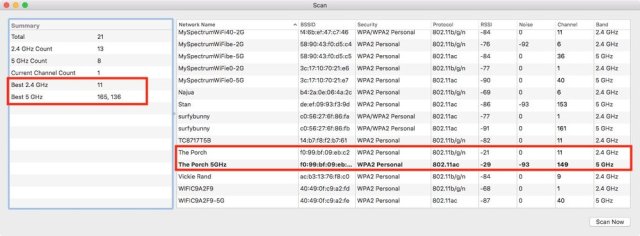
Lo, there is a Wireless Diagnostic utility included with macOS. It takes an Option key press on the wifi icon in the menubar to get to it, so it is definitely non-obvious — why does Apple hide this kind of thing?
The instructions on Let’s Talk Tech page are clear and short. The utility told me the best 2.4 and 5 GHz channels to specify, and we’re trying them out now. So far, so good, though the 5 GHz recommendations seem to change whenever I check them.
 Brownstudy's Blog